Client records
Keep contact details, jobs, notes, quotes, invoices, payments and communication history connected to each customer.
ClientStream is a simple but powerful client tracking system that helps you stay organised, get paid, and keep customer relationships moving—without complicated CRM or accounting software.
ALSO FROM CLIENTSTREAM
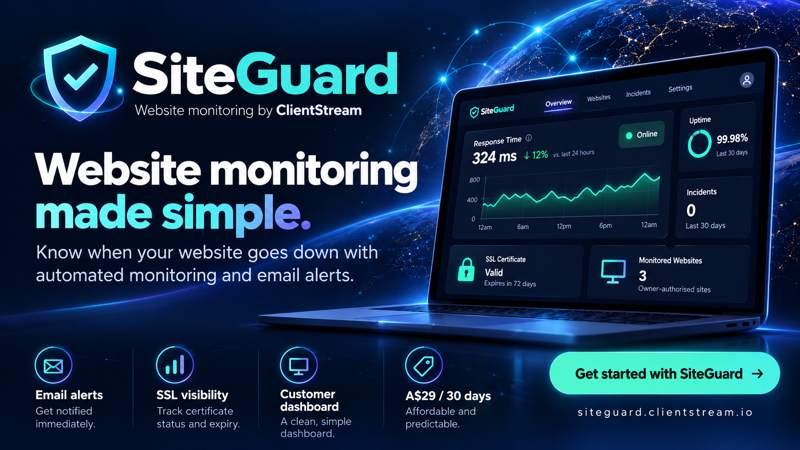
Get email alerts when your website stops responding and when it recovers. Check response time and SSL certificates from a simple dashboard. Up to three websites you own or are authorised to monitor.
A$9.99 every 30 days · Managed through Whop · Single monitoring location · No uptime guarantee
Explore SiteGuard Read the website monitoring guide →
Monitor availability · Email alerts · SSL visibility
ClientStream replaces scattered contacts, notes, reminders and spreadsheets with one clear place to see what happened, what is owed, and what needs doing next.
Keep contact details, jobs, notes, quotes, invoices, payments and communication history connected to each customer.
Create professional documents, apply GST, record payments and see outstanding balances without an accounting maze.
Schedule the next action, chase overdue invoices and stop valuable client opportunities from disappearing.
Turn rough notes into clear customer messages, payment reminders, follow-ups and review requests in seconds.
Create a ready-to-send review request and make it easier for happy customers to support your reputation.
Track income and expenses, understand basic business performance and export records for the Australian financial year.
The Today view puts reminders, overdue invoices, follow-ups and recent client activity in front of you. No sales pipelines, no bookkeeping jargon, and no hunting through menus.
See overdue payments, follow-ups and jobs that are due without building complicated workflows.
Call, email, write a message or schedule the next reminder directly from the client record.
Large controls and responsive layouts make common tasks practical from a phone, tablet or desktop.
Brighton Garden Care · $460
Sarah Collins · Bathroom repair
Job completed · Kingston Electrical
North Hobart · Leak inspection
ClientStream is designed to help a small business get organised quickly, not turn setup into another project.
Start on the Free plan with no payment method required. Add only the business details you actually need.
Save their contact details, add notes and create a quote, invoice, job or reminder from one record.
Use the clear daily view to follow up clients, record payments and keep the next action moving.
No large setup cost, no per-seat pricing and no need to commit before you have used the core system.
A practical starting point for testing the full ClientStream workflow with a small client list.
For businesses ready to manage their full client list, communication and reporting in one place.
Cancel any time. Existing business records remain yours and can be exported. Subscription features and limits are governed by the app’s current plan settings.
No. ClientStream helps manage clients, quotes, invoices, payments, expenses and basic reports, but it is not a replacement for professional accounting, bookkeeping, tax or legal advice.
Yes. ClientStream is designed to work across modern phones, tablets and desktop browsers so you can update a client on site and complete administration later.
No. Smart Write helps draft customer communication, but you remain in control. Review and approve every message before it is sent or copied into your preferred communication app.
Yes. The application is designed around Australian defaults, including AUD, DD/MM/YYYY dates, GST terminology and the Australian financial year.
Your existing records are preserved. Your account returns to the Free plan limits, and you can continue viewing and exporting your information. You may need to upgrade again before creating new records beyond those limits.
ClientStream is designed to provide practical exports for business records and EOFY preparation. Export availability can vary by plan and app version.
ClientStream can prepare SMS copy and open your device’s messaging tools. Third-party carrier or messaging charges are separate unless the app clearly states otherwise.
ClientStream is being built around practical daily work. Send a question, report a problem or tell us what would make it more useful in your business.
Start with the Free plan and see whether ClientStream makes your next follow-up, invoice or customer message easier.
Start using ClientStream